Sending files to Karelia
In some cases, the support team at Karelia software may ask you to send a copy of your Sandvox document (or some other supplemental files) to us.
Please be sure you send us your Sandvox document, not Sandvox itself, nor our legacy "upload" application (described below).
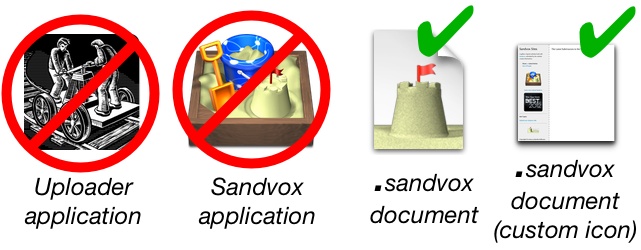
Where is the file to transfer?
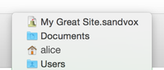
If you are not sure where your Sandvox document is on your hard drive, hold down the "command" ⌘ key and click on the title of your Sandvox document at the top of its window. Drag the mouse down to the folder shown below. Now your file should be selected in the Finder, ready for you to compress and send.
Zip and rename the zipped file before sending it to us
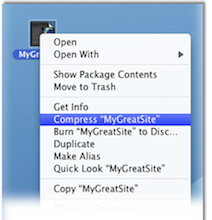
- Compress your Sandvox document into a "zip" file by control-clicking (right-clicking) on the document and choosing "Compress <filename>".
- Important: Rename this zipped-up file to the case number assigned to your case by Karelia support so we will be notified when it is available.
For instance: Case 112233.zip
If your file isn't numbered, we may not be aware you have uploaded it, and it may be deleted prematurely!
If it is a small file
Less than 10 MB in size, reply to the email from Karelia support and attach the zip file to it.
If you are running OS X Yosemite (10.10) and Apple Mail
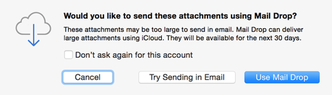
Yosemite has a "Mail Drop" feature which will let you attach large files to your email messages; they are transmitted and stored separately. Just reply to the email from Karelia support and attach the zip file to it. At the confirmation dialog, answer "Use Mail Drop".
If you use Dropbox
Drag the zip file into your Dropbox folder (or sub-folder inside your dropbox folder). Control-click on the icon and choose "Share Dropbox Link" from the contextual menu. [https://www.dropbox.com/help/167 (Detailed instructions here.) Then reply to the email from Karelia support with the public link for your file so we can grab it. Be sure not to move or delete the file from your Dropbox until you are sure we received the file!
