Collaborative Site Editing
You can set up a Sandvox site for collaborative editing. This is where two or more people work on the site together.
By default Sandvox has saved all of your media into your Sandvox document.
If you have set any media (movies or audio files for example) to not copy into the Sandvox document by unchecking the "copy file into document" box in the Object Inspector, you will need to recheck that box for each media object and save your site before you can send it to another person for editing.
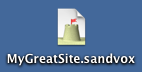
With this in place, you can begin to work on the site as you would any other kind of document. When someone else needs to edit the site, you send them the .sandvox document file and they open it to edit the site. When they are done, they can then send the file back to you.
If you have installed and are using any third party plugin or design on your Sandvox document, you will have to install them in all computers that will access that document so that it will appear and function the same. For the same reason, it is recommended you use the same version of Sandvox across all computers.
For a small site, it may be sufficient to simply e-mail the document to each other, but for larger sites, you will probably need to store the document on a remote server; try Dropbox as an alternate for sharing a document between multiple people. And of course, you will need a separate copy of Sandvox for each person working on the site.
Sharing Services
If you are using a cloud sharing service (like DropBox), where more than one person at a time has access to the .sandvox document, you will need to coordinate access. Only one person at a time can be editing the .sandvox document file.
Keywords: collaborate, collaborative, collaboratively, collaboration, collaboritive, edit, editing, work, alter, save, working, drupal, share, sharing, shared, joint, mobile, dropbox, together, group, groups, people
